You might be wondering why you’d even want a travel router. Isn’t it just a home router, but smaller? No. Most of them can do something your actual home router can’t: connect to an existing wifi network or ethernet jack as a client, then spin up their own separate LAN with that connection as the upstream. Your home router doesn’t do that. It expects a cable modem or fiber ONT on its WAN port, not somebody else’s wifi.
That mode has a name, WISP mode (client mode, repeater bridge, whatever the vendor calls it that week), and it’s the whole reason to carry one of these. It doesn’t have to be a hotel’s public wifi either, same trick works against a dorm’s network, an apartment building’s shared wifi, anything you can authenticate to but don’t actually control.
People throw around “private and secure” pretty loosely here, so let’s be exact. Your devices land on their own LAN, invisible to whoever else is on that upstream network. No ARP-scanning your laptop. No stumbling into a Chromecast’s open share. No other guest’s sketchy phone sitting on your broadcast domain. That part’s real. What WISP mode doesn’t do is encrypt the hop between the router and the access point it’s talking to. Wide-open hotel wifi means that uplink is exactly as exposed as it would’ve been if you’d connected to it directly. Isolation isn’t encryption. That second part is WireGuard’s job, more on that below.
Why This Matters in a Hotel Room
I’m on one right now, actual trip, first time carrying one instead of just reading about them. Painless so far. Which is more than I can say for hotel wifi by itself.
Normal hotel wifi: you connect every device separately, click through a captive portal, sometimes agree to terms again the next morning, and half your gear (a game console, a smart speaker, anything without a real browser) can’t get past the login page at all.
With a travel router in WISP mode, you connect the router itself to the hotel wifi, once, through its one browser-capable admin login. Every device you own then connects to the router’s own SSID instead, the one you set up yourself with your own password. As far as your laptop, phone, and everything else are concerned, they’re on your home network. They have no idea the hotel wifi even exists. One login, and it’s done for the whole trip.
Same idea works in a dorm or an apartment where the building hands you wifi you don’t control. Point the travel router at the building’s network in WISP mode and you get your own LAN behind it, your own firewall rules, your own devices talking to each other without the building’s network in the middle. If your dorm’s wifi blocks device-to-device traffic (a lot of them do, on purpose), that alone can fix a Chromecast or a game console that otherwise refuses to work.
The One I’d Get
The one I run is the GL.iNet GL-SFT1200 Opal Travel Router, $35 to $40 depending on the day. AC1200 dual-band, and it runs GL.iNet’s own OpenWrt-based firmware instead of some closed, half-finished travel-router UI. WISP mode is a straightforward toggle in the web admin, not a buried setting three menus deep.
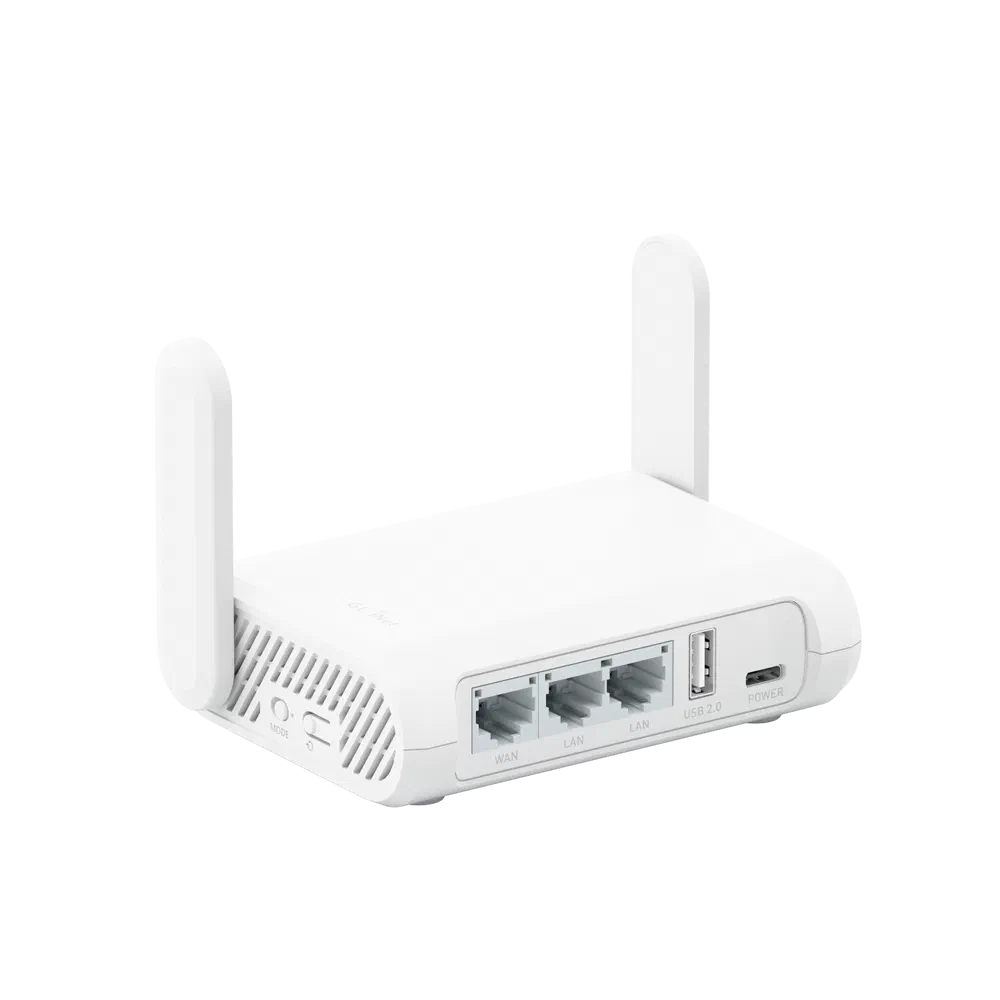
It’s genuinely small, folds flat into one little brick you’d mistake for a portable charger, and it runs off USB-C instead of some proprietary barrel connector. I haven’t checked the exact voltage and amperage it actually wants, so don’t assume any USB-C charger or battery bank on hand will drive it, but you’re not stuck hunting down one specific wall wart either, which is more than I can say for a lot of older travel gear. That matters more than it sounds like it should when you’re the one packing the bag.
AC1200 is plenty. You’re not going to bottleneck a shared hotel or dorm connection with a dual-band AC1200 radio, the wifi you’re borrowing was the ceiling long before the travel router was. GL.iNet sells bigger, pricier units aimed at people who want a portable access point for a whole house or a work crew, but for one person’s devices on somebody else’s wifi, the Opal is the one you actually remember to pack.
The Part That Ties Back to WireGuard
This is where it gets good if you’ve already got a home VPN set up. I wrote about running WireGuard and PiVPN to tunnel back into my home network from anywhere, and normally that means installing the WireGuard app on every device you want protected.
GL.iNet’s firmware has a WireGuard client built in. Export the .conf file PiVPN generates for a client, upload it in the router’s VPN Client screen, and the router itself holds the tunnel. Every device connected to the router’s LAN, phone, laptop, a friend’s laptop, a smart TV, anything, gets routed home automatically. No app, no config file, no per-device setup. Connect to the travel router’s SSID and you’re already on the VPN, whether the device in question even supports WireGuard or not.
Which is the part that actually sold me. I don’t have to touch my phone’s VPN settings, my laptop’s VPN settings, or explain to anyone why a hotel TV needs an app it can’t install. Connect to the SSID, that’s it, you’re home.